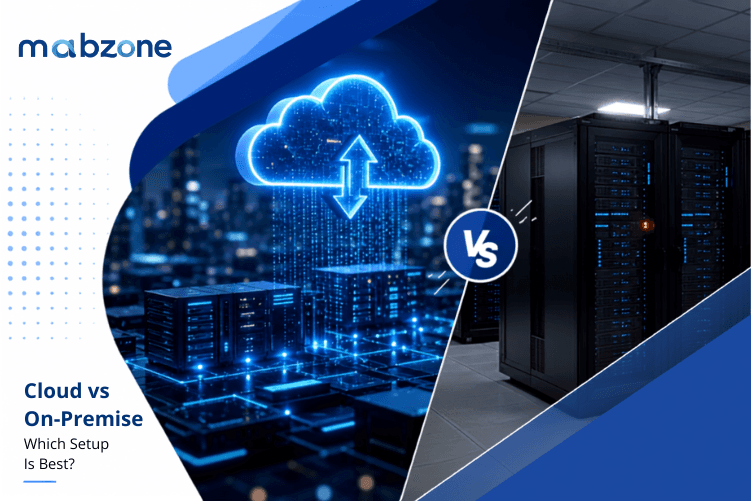
The tech setup you pick is more than just shelves of computers and lines of code — it's what keeps your company's heart beating. Right now, you're weighing two paths: stick with the familiar on-premise servers sitting in your office, or take the plunge into the cloud. Each option brings its own perks and problems, and the best pick will really boil down to how you do business, how fast you want to grow, and how much risk you're willing to take.
This guide is your cheat sheet. We'll sort through the pluses and minuses of both worlds. When you finish, you'll be ready to figure out whether to go full cloud, stay on-premise, or mix the two.
Cloud vs On-Premise: What Each IT Infrastructure Model Actually Means
First, let's nail down what each option really is. On-premise means the servers and the storage drives are sitting in a closet or a server room in your building. You buy the machines, load the software, and you're in charge of backing everything up.
Cloud, however, means the tech is living in a giant, secure data centre miles away. You log in through the web, and the cloud company keeps the servers humming, applies the security patches, and handles the growing data. Because one setup is in your office and the other is somewhere else, the cost, the room for growth, and the security approach will be different.
Cloud vs On-Premise Cost Comparison: CapEx vs OpEx
Picking an on-premise solution means shelling out a lot of cash right away. You'll buy servers, software licences, and maybe bring on a new IT team to keep everything running smoothly. You skip the subscription trap, but remember that upgrades, cooling, physical racks, and even the floor space still cost money on the calendar.
Cloud builds its pricing on a pay-as-you-go plan. You sign up for a monthly or yearly fee that bundles servers, programs, and tech support into one tidy package. After a few years, the cost can climb, but the smaller upfront hit feels friendly for new companies and smaller shops.
Cloud Scalability vs On-Premise Expansion: Flexibility When Growth Happens
Make an on-premise network bigger and you'll face an ordering-bay-sized headache. You'll buy fresh racks, stack on extra drives, and maybe even redo the whole data room layout. Weeks turn into months, and you'll lay down cash before you even see the extra customers.
Cloud, on the other hand, stretches or shrinks like a rubber band. One click and a few dollars more gets you more storage, CPU, or memory — live and ready, usually in under ten minutes. That kind of speed is a lifesaver for places that have wild seasonal sales, launch a new service, or can never quite predict how orders will roll in.
Cloud Security vs On-Premise Security: Who Controls Your Data?
If you choose to keep everything on your own servers, you're in the driver's seat for security. You can set the locks, the alarms, and the rules for who gets in, and you can move backups to a safe if you want. For places that have to follow really strict rules — like banks or healthcare — being in control can really matter.
On the other hand, the big cloud companies spend a lot of money on super-advanced security tech that most single companies can't afford. They have whole teams watching for threats all day, checking the locks, and running regular audits. Because of that, their systems can be safer than an in-house one. But some businesses still worry about handing over their sensitive data to someone else.
Remote Access: Cloud Anywhere vs On-Premise Network Restrictions
When everything sits in your own data closet, your people can normally only get in when they're on your company's network. If you want remote workers to log in, you have to set up tricky access systems that can be time-consuming to maintain. For many places that now let people work from home, this can feel too limiting.
Cloud systems, by design, let you log in from anywhere you can get online. Your team can jump between home, the coffee shop, a faraway city, or across time zones — using the same software on a phone, a laptop, or a tablet. That kind of freedom is really helpful in a world that expects work to be flexible.
IT Maintenance Burden: Managing On-Premise vs Cloud Updates
If your apps run on servers in your back room, your IT crew has to keep the machines running, load each security update, and fix crashes whenever they happen. You get to control every little detail, but it can eat up their time. If something goes wrong, the company has to wait until the team gets it fixed, which can drag on the whole day.
Cloud providers take care of the boring stuff automatically. Updates, patches, and quick security fixes happen on their schedule — usually while the rest of us are sleeping — so there's less chance anyone will notice. Your IT team can spend that saved time on bigger, brighter projects instead of clicking 'install now' every week.
Uptime and Disaster Recovery: Cloud SLAs vs On-Premise Resilience
Staying inside your own data centre means you're on the hook for everything. If freak weather knocks out power, if a hard drive gives out, or if the AC decides it's on vacation, your whole system goes down and you scramble to fix it. How fast that happens is all on you.
The cloud, however, is all about backups on backups. Your data gets copied to several locations, so if one piece of hardware decides to retire, your stuff still stays safe. Many cloud companies back this up with formal SLAs that promise a certain level of uptime — so you can trust that the show goes on.
Customisation and Control: On-Premise Flexibility vs Cloud Constraints
Need to run a super-specific program that's built for your industry alone? On-premise is your playground — tweak settings, flip switches, and make it do exactly what you want. Nobody is stopping you.
Cloud platforms are a little more structured. They let you change a lot, but there are still some boundaries. The good news? They come with app marketplaces, easy integrations, and APIs that let you stack on new features without reinventing the wheel. It's not pure DIY, but it's plenty for most businesses — and a whole lot quicker to get running.
Environmental Impact: Cloud Data Centres vs On-Premise Power Usage
When you power and cool your own servers in-house, you burn a significant amount of electricity and release a lot of heat — pushing up both your bills and your carbon footprint over the years.
Cloud providers, on the other hand, run energy-smart data centres that are increasingly fuelled by wind, solar, and other clean power sources. By using their infrastructure instead of running your own boxes, your business can shrink its environmental cost while still firing on all cylinders.
Hybrid IT Infrastructure: The Best of Cloud and On-Premise Combined
Most organisations find that neither the cloud nor their own servers do the whole job alone. A hybrid setup keeps sensitive data and applications on-site while offloading seasonal peaks, remote teams, and backups to the cloud.
This model marries the control of on-premise gear with the flexibility and redundancy of the cloud. However, merging the two environments smoothly takes careful thought and design. When it's wired together right, you really do get the best of all worlds.
How to Choose Between Cloud and On-Premise for Your Business
The cloud shines with on-the-fly scale, easy access, and fast setup — perfect for explosive growth and teams spread across time zones. On-premise gear gives you full control, deep customisation, and cost gains for steady, rules-heavy workloads.
Your choice should weigh budgets, data safety, growth runway, and how easy it is to adapt as your needs change. At mabzone Technologies, we partner with you to map your must-haves, project how your requirements will grow, and design IT infrastructure that speeds up work and keeps risk firmly in check.
Frequently Asked Questions: Cloud vs On-Premise
Is cloud cheaper than on-premise? It depends on your workload and time horizon. Cloud has lower upfront costs but higher ongoing subscription fees — making it more cost-effective for businesses with variable workloads or limited capital. On-premise can be cheaper over five or more years for stable, predictable workloads where you can fully utilise purchased hardware. A total cost of ownership (TCO) analysis comparing CapEx and OpEx over a three-to-five-year period gives the most accurate comparison for your situation.
Which is more secure — cloud or on-premise? Both can be highly secure when properly configured. On-premise gives you direct control over physical and logical security. Cloud providers invest in enterprise-grade security infrastructure that most individual businesses cannot afford to replicate. However, cloud misconfigurations are a leading cause of breaches — the shared responsibility model means your team must correctly configure access controls and policies. Regulated industries often keep sensitive data on-premise while using cloud for less sensitive workloads.
What is a hybrid IT infrastructure? A hybrid IT infrastructure combines on-premise servers with cloud services. Sensitive or compliance-constrained data stays on-premise, while cloud handles flexible compute, backup, remote access, and peak demand. Hybrid architecture is the most common approach for mid-to-large organisations — it balances control and compliance with the flexibility and cost efficiency of cloud.
When should a business choose on-premise over cloud? On-premise is the stronger choice when you have strict data residency or compliance requirements (e.g. healthcare, finance, defence), need low-latency access to large datasets, have predictable and stable compute requirements that make hardware ownership cheaper than ongoing subscriptions, or require deep customisation that cloud platforms do not support.
How long does it take to migrate from on-premise to cloud? A straightforward cloud migration for a small business can take weeks. A full enterprise migration with complex applications, data governance requirements, and custom integrations typically takes six to eighteen months. Planning, testing, and staff training account for the majority of that time — the actual data transfer is usually the smaller part of the project.